Ever wonder where you put it? Never wonder
again.


FindMyItem remembers where your belongings are — at home, in storage, or wherever you keep them.
- Store it.
- Label it.
- Find it.
- Go to it.
A home inventory app for finding stored items: QR box labels, search for your belongings, and map-based item finding across every storage location.
Store it. Label it. Find it. Go to it.
Store it
Photograph items and save where they are kept.
Label it
Use QR labels for boxes and containers.
Each label holds only a random code for that one container: it identifies the container, never you.
Find it
Search by name, tag, note, category, box or short code.
Go to it
View the saved location and open directions in Apple Maps or Google Maps.
What is in the app
Search that forgives
Partial words work. Find items by name, tag, note, category, box name or short code, with photo thumbnails.
Name suggestions from photos
Photograph an item and FindMyItem suggests a name: it reads a book’s title or the text on packaging, recognises the object, or reads a barcode. It is all worked out on your iPhone.
The details you need
Add a category, brand, colour, condition, tags and notes, and up to 10 photos with Pro. Scan a book’s ISBN or a product’s barcode, then find it by that number later.
Everything in a place or area
Open a place or an area to see a list of every item in it, each with its photo and the box it is in, and search within it. Handy when you cannot remember which box.
Ask Siri
Say “Where is my passport in FindMyItem?” and Siri answers out loud, without opening the app. An optional setting lets it answer on a locked iPhone too. Siri features need iOS 16 or later.
QR labels
PDF label sheets in six sizes, with a live preview. Choose to print the name, only the code, or only the QR.
Scan to look inside
Scan a box’s label to open it and see everything inside, with photos. Scanning also marks the box as checked and confirms anything you moved into it.
Works offline
Your inventory lives on your phone first. The attic and the basement are fine; changes sync when you are back online.
A simpler home screen
Search comes first, then Scan label, Add item and Pack boxes. A To do list gathers what is waiting: items to name, items without a box or a photo, boxes unchecked for a year and moves to confirm.
Move, undo, history
Move an item and undo it if you slip. Every item keeps a history of where it has been.
Out, used or given away
Mark an item as out for a while, used, donated, sold or lost. It drops out of your normal searches but stays in one list, with a one-tap way back.
Pack boxes quickly
Make a batch of numbered boxes, print their labels, then photograph things straight into a box and name them later.
Boxes, drawers, shelves and more
Not everything lives in a box. Keep things in drawers, cupboards, cabinets, lockers, suitcases, shelves or bags, each with its own icon and colour, inside the places and areas you set up.
Map and directions
Every place gets a pin in its own colour and icon, and boxes can have a colour and a photo. Tap for directions in Apple Maps or Google Maps, starting from where you are right now.
iCloud backup
Automatic backups to your own iCloud Drive, or one tap whenever you like. Restore on a new iPhone; the backups never reach us.
Your data is yours
Export to a spreadsheet or a PDF with photos, import a spreadsheet, or keep a full backup file and restore it on a new phone.
Family sharing
Share a place, an area or a single box with the people you invite, as a Viewer (look only) or an Editor (add, edit and move). The people you invite never pay.
Twelve languages
English (UK and US), Arabic, Chinese (Simplified), French, German, Hebrew, Italian, Japanese, Korean, Portuguese, Russian and Spanish, with right-to-left layouts for Arabic and Hebrew.
See it in use
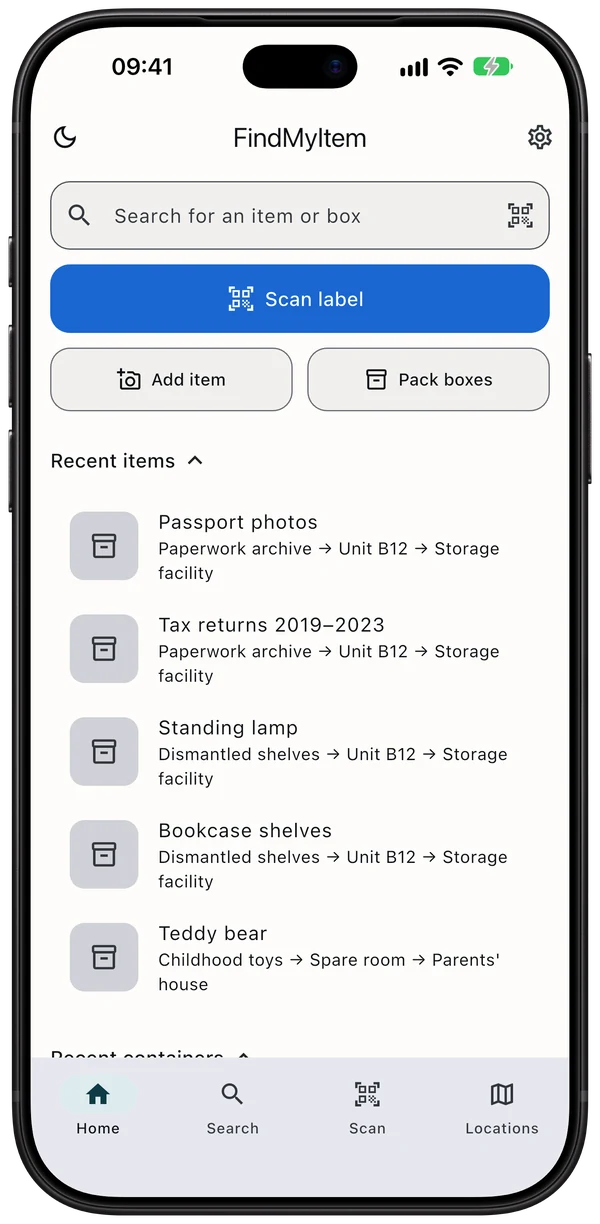
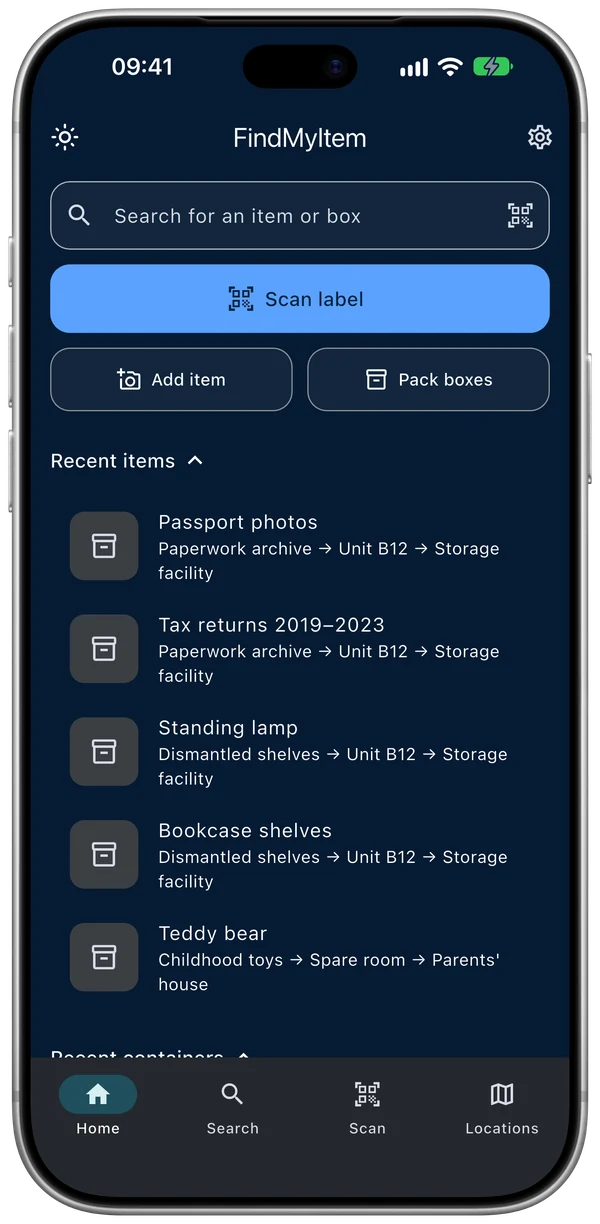
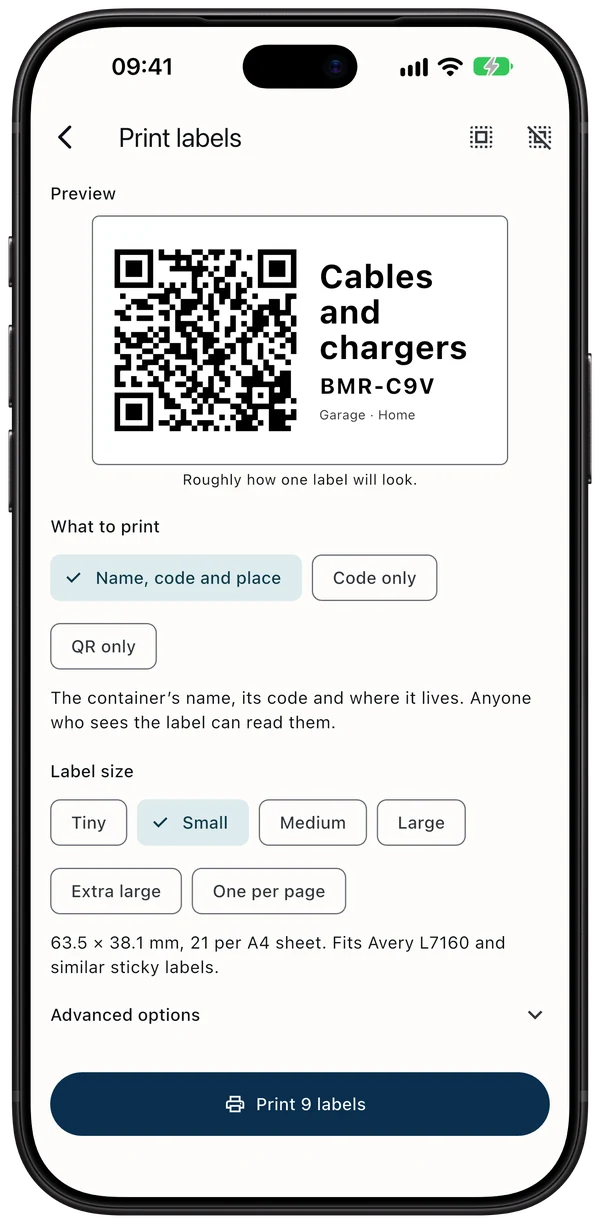
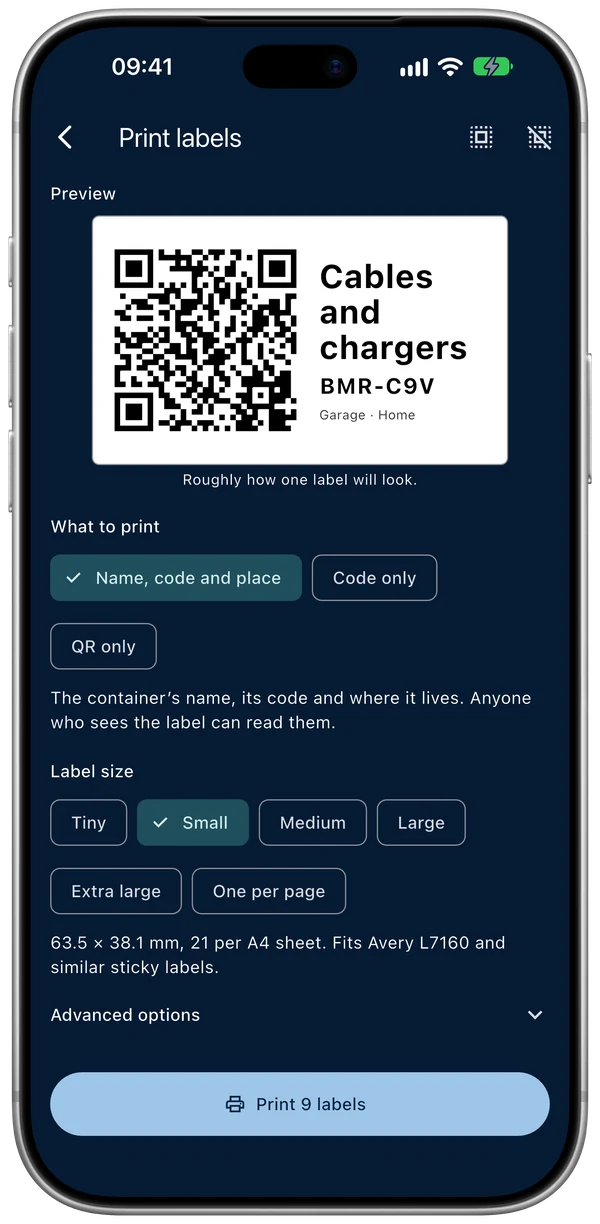
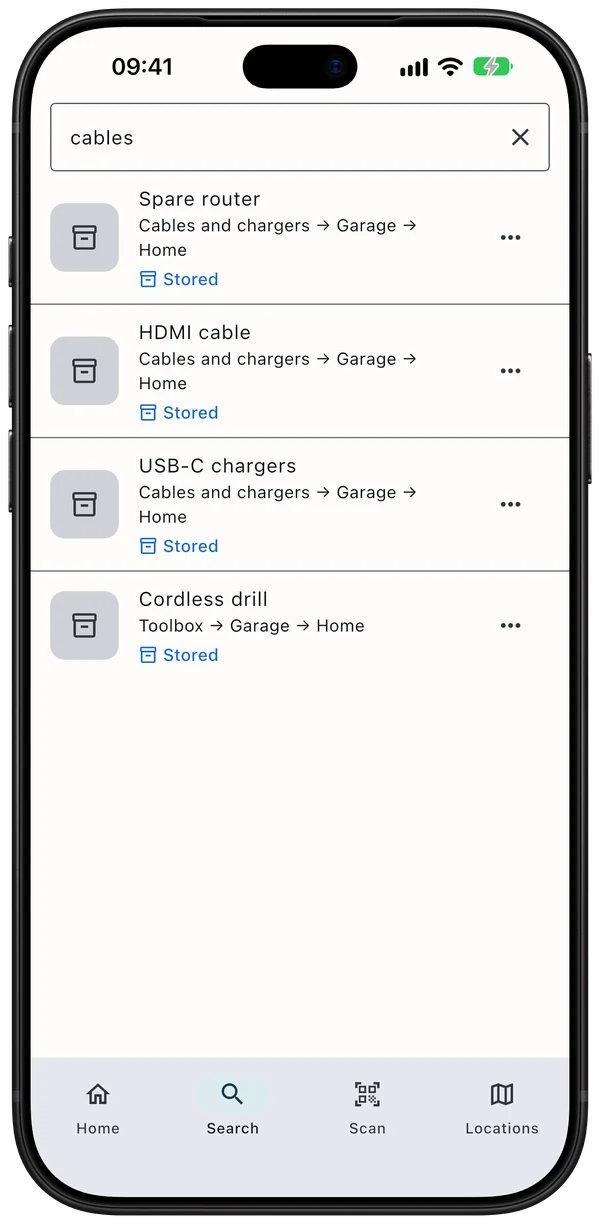
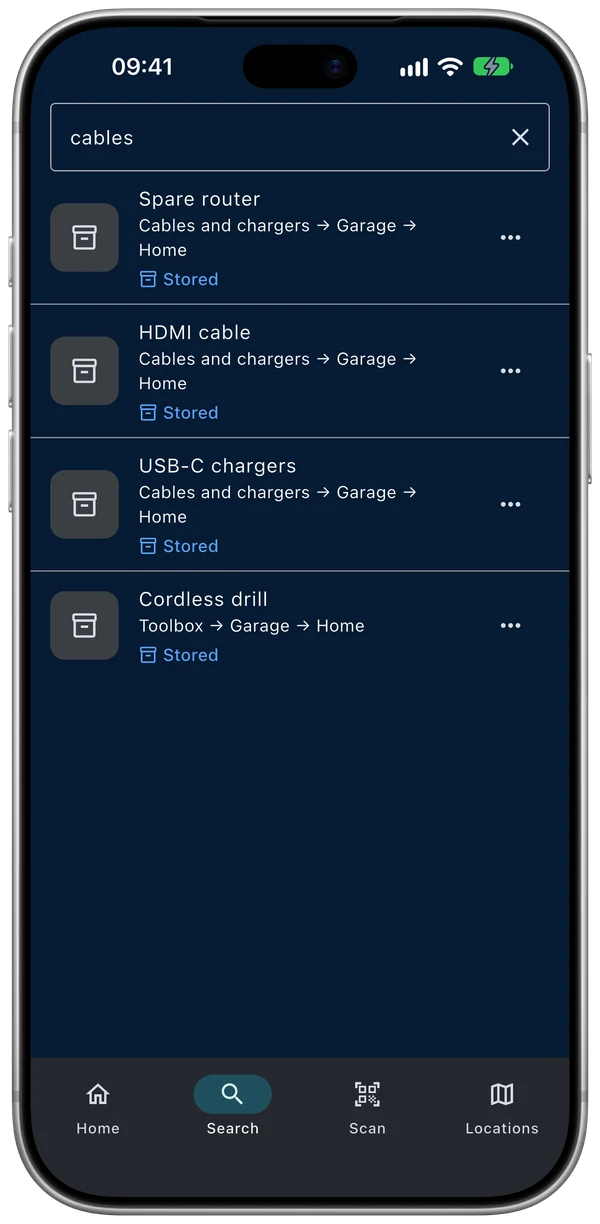
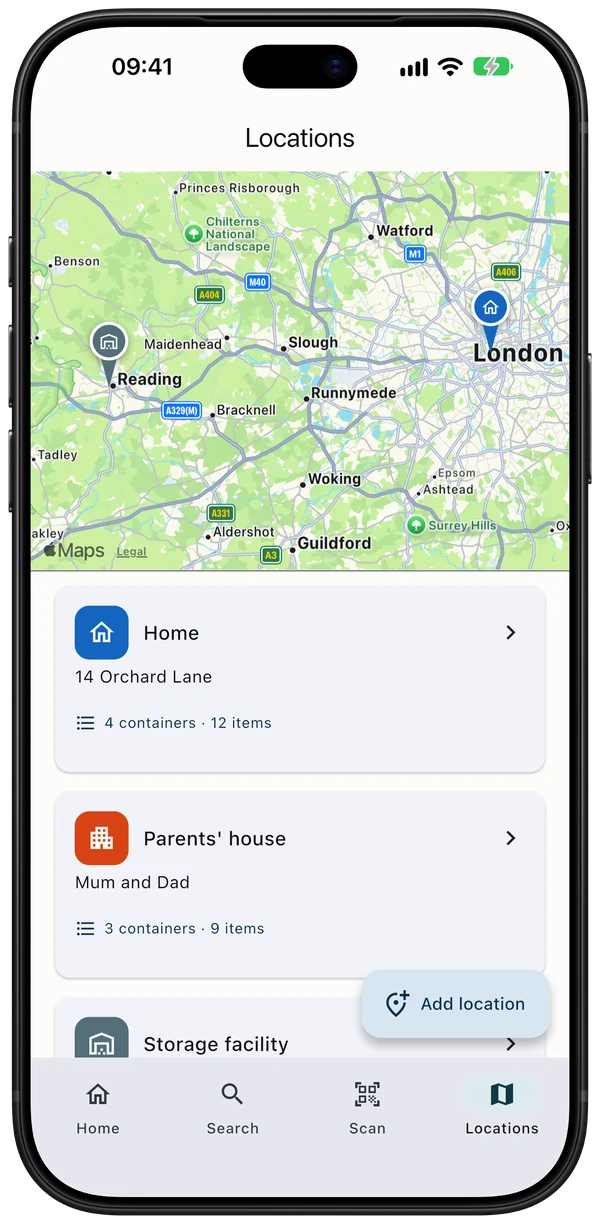
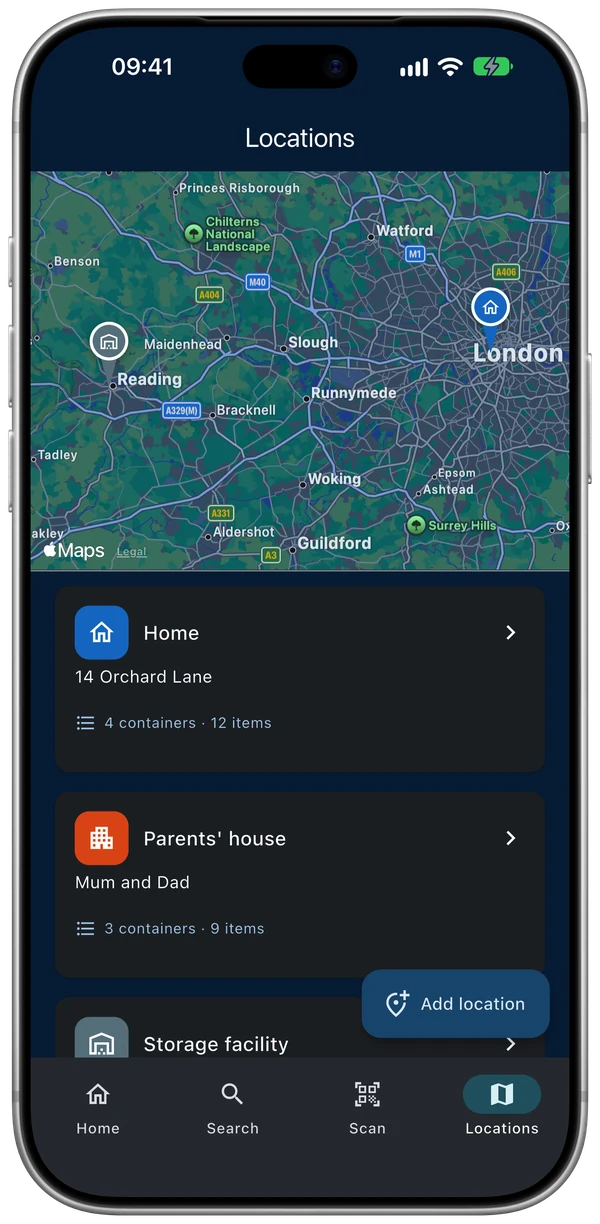
Screenshots show the example data you can load in Settings.
Private by design
No ads, no tracking in the app
The app has no advertising and no analytics. We never sell your data, and we share it only with the services that run the app.
Locked when you leave
Protect it with Face ID, Touch ID or your passcode. The app switcher never shows your inventory.
Strong sign-in
Sign in with Apple or email, add two-factor authentication, and sign other devices out from the app.
Delete anytime
Delete your account and everything stored for it from inside the app. Data is held in the EU.
Read the full privacy policy.
Pricing: Free and Pro
Pro lets you share your home’s inventory with up to 5 others (6 people including you), free for them, and lifts the 3-place and 100-item limits. On sale in the United States, the United Kingdom, Germany, Austria and Switzerland.
Free
For a small home
Free forever
No card, no trial, no time limit
Included:
- 3 places and 100 items
- 1 photo per item
- Every feature you need to find things
- Search
- QR labels
- Map
- Siri
- iCloud backup
- Reminders
Pro
For families and bigger homes
1 month free
Then £3.99 a month or £39.99 a year
Renews automatically; cancel any time.
Everything in Free, plus:
- Family sharing for up to 6 people including you: they join freeWith Apple Family Sharing, your family gets Pro on their own iPhones too.
- Unlimited places and items (fair use)
- 10 photos per item
- Unlimited imports and backup files
- Nothing is deleted or hidden if Pro ends
- Export and security are always free
- People you share with never need Pro
Compare Free and Pro
| Feature | Free | Pro 1 month free |
|---|---|---|
| Share with family and friends, as Viewers (look only) or Editors (add, edit and move) | Not included | Up to 6 people including you, free for them |
| Places (home, storage unit, parents’ house…) | 3 | Unlimited |
| Items | 100 | Unlimited |
| Photos per item | 1 | 10 |
| Spreadsheet (CSV) import | One import of up to 100 rows | Unlimited |
| Backup file (save anywhere, restore later) | Up to 4 a month | Unlimited |
Everything else is the same on Free and Pro: search, QR labels and scanning, map and directions, Siri, iCloud backup, reminders, export, all security features, and joining someone else’s shared places.
Prices
Prices in every country
- United States$3.99/month$39.99/year
- United Kingdom£3.99/month£39.99/year
- Germany and Austria€3.99/month€44.99/year
- SwitzerlandCHF 3.00/monthCHF 35.00/year
The free month is for new subscribers. Free-trial eligibility is set by Apple. Prices include VAT in the UK, Germany, Austria and Switzerland; US sales tax may be added. The App Store shows the exact price before you confirm. Renews automatically until you cancel. “Unlimited” means for normal household use: fair-use limits apply to every account.
Common questions
What do I need to use it?
An iPhone with iOS 15 or later (Siri features need iOS 16). FindMyItem is built for iPhone; an Android version is coming soon.
Where can I get it?
On the App Store in the United States, the United Kingdom, Germany, Austria and Switzerland. The app speaks 12 languages, so you can use it in yours wherever you live in those countries.
How much is Pro, and how do I cancel?
The app is free, and Pro is optional. New subscribers get 1 month free, then pay monthly or yearly; the price for each country is under Prices. One Pro lets you share with up to 5 others (6 people including you), who never pay, and with Apple Family Sharing your family gets Pro on their own iPhones too. Pro renews automatically until you cancel: in the iOS Settings app tap your name, then Subscriptions, at least 24 hours before the period ends. Deleting the app does not cancel it.
What happens to my things if I stop Pro?
Nothing is deleted or hidden. You can still find, edit, move and export everything; only adding more than the free plan allows asks for Pro again.
Does it work without a signal?
Yes. Everything you add is saved on your phone first and syncs to your account when you are online again.
Is my inventory private?
The app has no ads and no analytics, and we never sell your data. Your inventory syncs to servers in the EU (Frankfurt), name suggestions from photos are worked out on your iPhone, and iCloud backups go to your own iCloud Drive. The details are in the privacy policy.
Can I share an inventory with my family?
Yes, with Pro. Share a place, an area or a box with the people you invite, who can look only (Viewer) or also add, edit and move items (Editor); they never pay.
Does it work with VoiceOver and larger text?
FindMyItem is built to work with VoiceOver, larger text sizes, Dark Mode, Increase Contrast and Reduce Motion. If anything is hard to use for you, please tell us at support@findmyitem.app and we will fix it.
What if I get a new iPhone?
Sign in to the same account and your inventory syncs back. If you have Pro, tap Settings › Your plan › Restore purchases. You can also restore from an iCloud backup or a backup file.
How does FindMyItem suggest names from a photo?
After you take a photo, FindMyItem reads book titles, labels and product names on it, and recognises everyday things such as headphones or a kettle. Tap a suggestion to use it, or just type your own. It all happens on your iPhone and works without an internet connection. You can turn it off in Settings.
Who makes it?
Railstons GmbH, a small company in Switzerland.
More answers on the Support page.